
How Being Organized Saves You Time and Money
Being Organized Saves You Time and Money
We all want to be able to organize our schedules and have the commitment to maintain them on a day-to-day basis, but how?
Creating a workable schedule is typically time-consuming and often results in a frustrating battle with your calendar.
Organization is beneficial for everyone and can be easily adapted to suit individual needs. And believe it or not, being organized in your everyday life actually saves you time and money. Here are a few of the reasons why.
Efficient and Stress-Free
If you keep your belongings organized, you don’t need to spend time looking for them when needed.
This is especially handy in the case of important yet rarely used items, such as insurance or tax information.
The key to keeping things organized is to come up with a place to keep something and stick to it.
If you want to keep important mail in a desk drawer, make sure you keep all of your important mail in that drawer.
Don’t be afraid of sorting your things too much. The more categories of things you come up with, the easier it will be to find exactly what you need when you need it.
Saves You from Buying New
Organization keeps you from buying items you already have, but you’ve forgotten about or lost in your household or workplace.
You’re more likely to forget about a pack of rubber-bands you bought several months ago and never opened, than your car keys or your wallet.
Combined, these types of purchases can end up costing you a significant amount of money for items that you already have.
Fortunately, this is a very fixable problem.
By cleaning and organizing the designated “junk” drawers in your home or office and making a list of all the items, you will easily find the item you’re looking for the next time you go searching. This avoids unnecessary purchases and impulsive buys at the store in the future.
It’s a very flexible habit that can be applied to many aspects of your daily routine.
Helps You Remember Important Details
It can be hard to keep track of every detail when you have a lot going on in your life.
Sometimes, bills can get lost in the shuffle and go unpaid, or household maintenance gets overlooked.
By keeping all of your activities organized, you can get them done in a more efficient manner and you make sure that every detail is taken care of.
Saves Money on Shopping
If you plan out a menu for each month, you can buy many of your groceries in bulk, saving you time and frequent trips to the store.
If you prepare a list ahead of time, you can also look for coupons that offer savings on the things you plan to buy.
The same applies to non-food items, which can be bought in bulk and stored for later use.
Staying organized and keeping essentials stocked up saves you the stress of running out to make a special trip for more.
You can also plan out birthday or holiday gifts well ahead of time, so that you can keep an eye out for a good deal.
While it may take a bit of effort, organizing your life allows you to use your time more efficiently and to take full advantage of your finances.
Not only that, but the more thought-out your budget or schedule is, the less you will worry about them.
There are many tools designed to help keep you organized, including all kinds of helpful apps for mobile devices.
Mobile Apps to Help You Get Organized

Are your organizational skills lacking?
Are you looking for an easy way to rectify the situation? If you answered “yes” to one or both of these questions, it’s time to consider one of the many mobile apps that help you get and stay organized.
If money is an issue, there are many free apps to choose from. Read further, to learn more about a few of your choices.
EasilyDo
EasilyDo is the app that is said to “tell you what you need to do, before you even know you need to do it.” This app is capable of doing everything, from reminding you to buy flowers for your anniversary to making dinner reservations and much more.
One of the coolest things about this app is the ability to multi-task. Instead of having to keep track of several applications at the same time, EasilyDo keeps all of your crucial information in one place.
Other features include the ability to check traffic, track packages, issue a reminder about appointments and deadlines… just to name a few. EasilyDo seamlessly connects to many online services. It is free to use.
Link – https://www.easilydo.com/
Evernote
If you’re the type of person who likes to take notes in an effort to stay more organized, then Evernote is for you. In addition to writing notes which won’t get lost in the shuffle, you can also record notes and email notes to several devices simultaneously.
Better yet, you can organize all of your notes by placing them in “notebooks” or attaching tags to whichever ones you choose.
Link – https://evernote.com/
Mint Personal Finance
The Mint.com personal finance app does an excellent job of keeping your finances organized at the touch of a button.
You can easily create a budget, keep track of your spending habits, etc.
All of your personal information is protected by a four-digit PIN, so there’s no need to worry about security breaches.
It’s extremely straightforward to add bank accounts, credit card accounts, loans and more. If you lose your phone, it’s very simple to deactivate mobile access.
Link – https://www.mint.com/
Weave
If you’re a “to-do” list junkie, Weave is the app for you. This free app features things like the ability to share projects or lists with a spouse, colleague or roommate.
It’s easy to add additional notes to any lists and keep a record of the time each individual spends on certain projects.
If you’ve been using a calendar app that you’re not overly fond of, why not try Weave instead?
If you’re involved in several projects at once, the app might just turn out to be your new best friend. It’s available for both Android and iPhone users.
Link – http://www.seedcode.com/weave-calendar-overlay-by-intuit/
If you’ve always dreamed about being more organized, there’s more hope for you than ever before.
One of the best things about using an app (especially a free one) is that if it doesn’t work for you, simply try another one until you find the perfect fit.
Why not take a few minutes to check out a few of these apps today? Your organizational skills will thank you for it.
Creating a Workable Schedule and Sticking to It
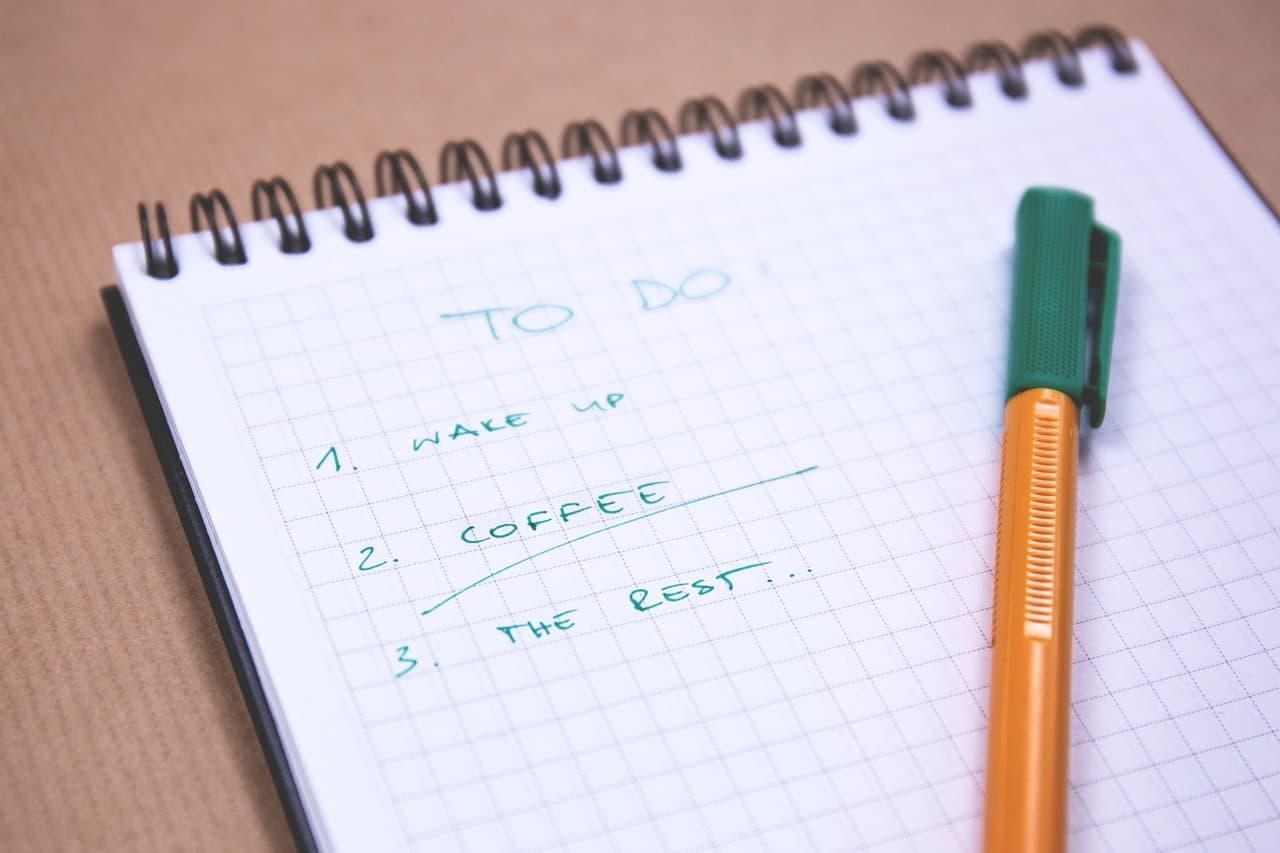
Creating and following a schedule is the best way to use all of your time as efficiently as possible. Working on a schedule helps you meet deadlines, keep appointments and stay focused on the task at hand.
But, following a schedule can be difficult – especially if you aren’t used to planning out your day.
Here are some things to keep in mind while making and maintaining your schedule.
Make a To-Do List
The first thing to consider when setting up a schedule is knowing what you need to accomplish.
Make a list of everything that you need to get done in a day, as well as a list of leisure activities or other things that you would like to do.
Once you’ve made your lists, you can decide how much time you need for each activity and use this to develop a schedule. Schedule high-priority activities first and work everything else in around them.
Use a Planner
Record all of your scheduled events in one organizational tool like a planner.
You can use a physical copy or an app on your phone, but it’s important to use the same planner for all your scheduling.
This ensures that all of your appointments and meetings will be in the same place and easily accessible, and that no conflicting schedules are made.
The simplified scheduling will keep you on track and relieve some of the stress associated with the scheduling process.
Stay Realistic
Don’t plan out a schedule that you won’t be able to keep.
Be sure to give yourself plenty of time in between activities, especially if you have to travel from one to the other.
Also, make sure you allow yourself breaks throughout the day to rest and recharge.
Planning a schedule that is too busy will leave you feeling tired, and may affect your performance as well as your health.
Keep At It
Like any habit, good or bad, you have to keep at it in order to truly make it stick.
The same applies to learning how to properly manage and maintain a workable schedule that you can consistently follow each day.
The scheduling process will be less stressful and easier to follow through with each time you plan out your day. Persistence is key!
Expect the Unexpected
More often than not, things don’t quite go according to plan.
Don’t be stressed out if things don’t happen exactly like you were expecting them to. Be prepared to make adjustments to your schedule if the situation calls for it.
If something comes up that you hadn’t scheduled for, make sure you will still have time to see to everything on your schedule.
These tips cover the basics of managing your time. After you’ve worked out and followed your own schedule, you can adapt your organizational style to suit your needs. Try out different methods or techniques to see which ones you like.
There is no perfect method for scheduling, so you have to find the method that works best for you.
Organizing Your Email Inbox

A disorganized, overflowing email inbox can be a daunting obstacle to overcome. Spam and junk email quickly adds up to a constant stream of distracting correspondence.
This clutter can make you less productive, especially if email is a major part of your job.
Not only that – important messages can end up getting lost among all of the others.
Here are a few suggestions for clearing out your inbox and for keeping all of your important email organized.
Unsubscribe from Junk Mail
It’s much easier to delete a junk message in your inbox than it is to unsubscribe from recurring correspondence.
But, does this save you time in the long run?
It may take a minute or two, but look into removing yourself from the mailing lists of sites that frequently send unwanted messages.
This will keep junk messages from showing up in your inbox to begin with and save you the trouble of getting rid of them.
Folders and Categories
Many email services allow you to create folders within your inbox.
By sorting messages into different groups or categories, you can easily find the messages you need when you need them.
Don’t be afraid of making too many folders.
If you use email for work, several folders based on subject will be more helpful than a single work folder.
Some mail services can automatically sort messages into different folders based on things like who they are from.
Tags and Labels
While folders are an effective tool for keeping your incoming messages organized, they are less helpful in the case of messages that fit into several categories.
By applying tags to messages, you can mark them so that they can be sorted later.
Multiple tags can be applied to a single message, which allows them to be sorted differently depending on the situation.
Setting Up Filters
Some email services allow you to set up filters which tell your mail service to treat certain messages a certain way.
For example, if a particularly difficult junk mailer won’t remove you from their mailing list, you can set up a filter that automatically removes all mail from that sender to the trash.
Filters are also useful for keeping your folders organized, by automatically sending messages containing certain words or phrases to a specific folder.
Search Your Email
Your email has a handy search engine tool that you can use to quickly find email in your inbox.
The search tool allows you to easily find emails from a specific person or company, messages sent to a specific email address, or emails containing certain words.
This is especially useful if you need to reference an old email that’s been lost in your inbox.
Keep Things Maintained
No matter what tools you use to clean up your inbox, it’s important to keep things organized to avoid another mess from forming. If you set up filters, many of your messages will be organized automatically.
Make sure to update your filing system as needed and apply new filters to messages that show up in your inbox.
Try to deal with incoming mail as soon as you receive it, rather than waiting for it to build up.
Cleaning up your inbox will save you time, both at work and at home.
Most email services offer tools like the ones described that you can use to do much of the work for you. Setting these tools up may take some time, but the time and effort an organized inbox will save you is worth it.
Organizing Your Mindset

One popular definition of mindset is “a disposition, attitude or mood.” That being said, it makes sense that clearing your mind of clutter goes a long way in helping you get more organized.
Let’s face it – when you’re not clear-headed, it’s very difficult to practice organizational skills.
Keep reading to find out more about organizing your mindset. There is no reason to put it off for another day.
Write Down Your Feelings
One of the best ways to clear your mind of clutter is to take the time to write down your feelings.
You can either do this in a journal that you keep, or a piece of paper that you throw away once you’re finished.
Recent studies indicate that jotting down negative thoughts really does help to clear your mind and make you feel better.
Meditate
More and more stressed-out individuals are using meditation to clear the clutter in their heads.
When life is hectic, do you ever feel as though you’re having a non-stop conversation (with yourself) in your head?
If so, it’s nothing to panic about.
Many people experience the same thing. Meditation allows you to focus on a single thing, which in turn helps to corral your thoughts when they start to wonder.
Go for a Run
Not only does running help to eliminate a cluttered mind, it also benefits your body in several other ways.
Listening to music when you run is even more beneficial.
Why? A Ohio State University study recently discovered that when someone exercises with music, it activates the area in the brain that deals with a higher level of mental function.
Participants who had the advantage of listening to music did better on fluency tests than those who did not.
Take a Nap
Taking a nap, even a short one, goes a long way in clearing up mental fatigue and clutter in the mind.
Believe it or not, taking a ten-minute nap helps to increase both productivity and alertness. Getting a good night’s sleep is all the better.
So, the next time you’re feeling mentally overwhelmed, chances are that taking a short nap will help you to be more organized for the rest of the day.
Spend Time with a Pet
For most people, pets aren’t just animals – they’re beloved members of the family.
Spending time with your favorite pet elevates your mood and makes it easier to get through the day.
In the event that you don’t have a pet, take a few minutes to watch one of the thousands of cute pet videos on the internet. You’ll get a dose of cuteness without any strings attached.
Do you have a better idea in regard to some of the ways to organize your mindset?
Great! Taking advantage of some of these tips should help you get more organized overall. You’ll soon see that this is beneficial to both your work and personal lives.
Even if you’re currently the most disorganized person you know, it’s not impossible to change… with a little help from your mindset. Why not get started today?
Creating an Efficient Filing System
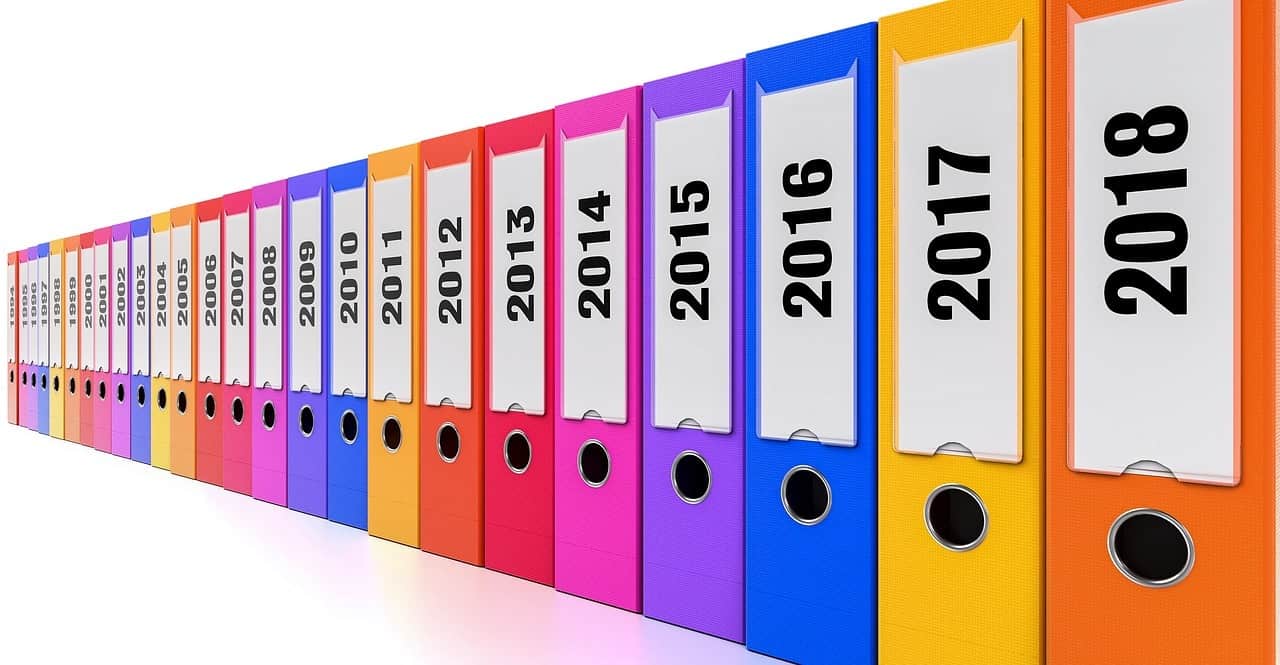
Keeping physical copies of paperwork organized can be overwhelming.
Heaps of files can build up in no time, especially if your business operates using physical copies. But, if you can keep your filing system structured and organized, all of this paperwork can be dealt with using little time and effort.
Here are some tips for making your filing system organized and efficient.
Keep Things Simple
Having a cluttered or confusing filing system will only discourage you from using it on a regular basis.
Keep things simple and easy to understand, so it doesn’t end up a failed project.
Assess what important documents you want to keep, and discard any junk mail or useless documentation that you absolutely have no use for.
Not only will it be easier for you to find what you’re searching for, but you will also have more room to save your important files.
Label Your Files
Part of creating a file system that works for you is to label your files in a way that you can easily understand.
There are specially designed folders that have tabs to write a brief description of the folder’s contents.
For example, if you’re someone who saves receipts, you might have a folder titled “Receipts.”
You may want to include sub-folders inside your “Receipts” folder and title the sub-folders based on the year it was received or the store that it came from.
It’s important to have a filing system that appeals to you so it encourages a habit of using it.
Invest in a Filing Cabinet
You need a place where you can keep your files safe and organized.
A filing cabinet stores a lot of paperwork in a way that allows it to be accessed efficiently. Every folder is kept upright in the cabinet, so you can go through them and pull documents out of them without removing them from the filing system.
This stops you from disturbing your entire filing system if you have to go hunting for a missing document.
Filing cabinets also tend to be sturdy and secure, so they’ll keep your important paperwork safe from damage. Some even have locking drawers, in the case that privacy is an issue.
Create a Directory
Creating a rough list of the contents of a filing cabinet drawer or group of folders makes it much easier for you to find what you need.
This list can either be handwritten or created on a computer and printed out.
Be Persistent
No matter what kind of filing system you put into place, it won’t do any good if things don’t stay organized.
As you add new documents to your filing system, make sure they end up in their proper place.
Avoid allowing loose papers to pile up and resist the temptation to simply stuff something where it will fit.
Yes, it takes a bit of discipline, but with a bit of practice, you can keep your filing system clean and efficient.
With the right tools and planning, you can complete the daunting task of sorting out your paperwork in a snap.
By using clearly labeled and documented folders to separate your documents, it makes it very easy to find a place for everything. Your filing cabinet will be streamlined and efficient in no time.
Organizing Your Resources on Your Computer
Our computers hold all sorts of digital resources that we utilize both at work and in our personal lives.
From family photos to financial records, the data we store on our hard drives can be very important.
But, if your computer’s files are cluttered and disorganized, it can be difficult to find the file you need when you actually need it.
Here are some hints for tidying up the resources you keep on your computer.
Invest in an External Hard Drive
It is highly recommended that you back up your important content in the event that your computer takes a turn for the worst.
An external hard drive is an excellent way to store large amounts of content without bogging down your computer in the process.
External hard drives are especially useful for storing collections of things like photos, music or even videos.
This will free up a significant amount of room on your personal computer, as well as ensure your content will be safe no matter what.
Trash Old, Unnecessary Files
After you’ve used your computer for some time, it’s almost impossible to avoid accumulating files that you don’t need any more or that never were useful in the first place.
Not only can these files take up valuable space on your hard drive, they can also make it hard to find the file you’re looking for.
If you haven’t accessed a file or program in a long time, consider whether or not it is still needed.
Organize Your Web Bookmarks
An overflowing bookmarks bar can cost quite a bit of time when you’re looking for content you need to view frequently.
Remember that most web browsers allow you to sort your bookmarks just like you would other files on your computer, including allowing you to create folders.
Use these to your advantage in order to create a bookmark system that is quick and easy to navigate.
Clean Up Your Filing System
Your computer uses a system of folders and subfolders in order to keep your files organized.
Much like a filing cabinet, these folders need to be carefully organized and maintained in order to be used efficiently.
Try to consolidate your resources into a few top-level folders with other similar sub-folders within.
For example, you may have a folder called “work,” which contains other folders called “expenses” and “income,” and so on.
Helpful Tools
Some helpful tools you may want to consider utilizing to make organizing your resources on your computer an easy and stress-free task are Evernote.com, Zootool.com and Instapaper.com.
These useful cloud-based applications allow you to create and store documents online and access them from any device.
This way, there are fewer resources that are actually on your computer and in need of organization.
There is no perfect system or technique for organizing the many resources on your computer. What makes perfect sense to one user may seem taboo to another.
The trick is to find the system that works best for you. And, once you’ve found something that works, it’s vital that you keep it up.
Organizing Your Finances

Is your financial paperwork a jumbled mess?
If you answered “yes,” you’re certainly not alone. The good news is that there are many simple things you can do to better organize your bank statements, receipts and even your bookkeeping-related paraphernalia. Continue reading to learn more.
The task is probably easier than you think.
Think about Going Electronic
If you haven’t already done so, one of the first thing to do on your quest to get organized is to consider going electronic.
Once you perform the initial set-up and get the hang of it, it’s so much faster than organizing the “old-fashioned” way. Another great perk is the fact that organizing your financial records electronically takes up a lot less space.
The vast majority of banks, credit card companies, utility providers and other types of businesses already give consumers the option to receive their statements and bills electronically.
If you’re not already doing this, now is the time to sign up. It’s typically fast, convenient and free.
When you aren’t given that option, there is a simple solution. Purchase an inexpensive scanner, which will then allow you to scan your printed bills and receipts into whatever software program you’re using.
Choosing a Filing System
Whether you want to go electronic or not, you need to come up with a basic filing system that’s easy for you to stick to and not get frustrated with.
This works best when you co-ordinate your filing efforts with a calendar or organizer.
There are several ways to set up a filing system. The choice you make is up to you. These methods include:
- Month-to-month (a good choice for those who don’t have a lot of credit card payments and other recurring bills)
- Color coded (if you’re more of a visual person, color-coded files are probably for you)
- Subject or category (use broad categories such as “credit cards” and “utility bills,” or create a separate file category for each company you pay)
Don’t Procrastinate
If you have the time and inclination, it’s better to open bills and other financial correspondence as soon as you receive it.
Taking the time to file documents away, during the same session, makes things even more streamlined.
The last thing you want is to wait several weeks to file things, only to spend hours transferring receipts and other documents from a huge pile on your desk or the proverbial shoebox to their (newly-appointed) proper location.
Now that you have some ideas in regard to organizing your finances, you’re on the road to a tidier filing cabinet.
Better yet, you can say goodbye to the frustration associated with digging through piles of documents to locate the specific financial information you need.
Depending on your current state of disorganization, sorting things out may take some time. But, that’s okay.
With a bit of due diligence, your financial records will be in tip-top shape before you know it. Remember, it’s not how fast you get everything done.
The important thing is, you’ll finally be able to easily find a receipt or bank statement right when you need it.